

Color Palette Picker App - See Color
Client: School Project, BCIT
Date: September, 2016
Tools: Brackets, Google Drive, Illustrator
Languages: HTML, CSS, SCSS, PHP, JS, JQuery
Description: The purpose of this project was to create a functioning app throughout the semester. This project was done with a group of four people. We created the See Color App, a color palette generator with additional features to aid young designers in their projects. Our app allows users to choose a color pallet following design principles of monochromatic, analogous, complementary, triadic, and tetradic colors. In addition to this, users can go to our color meaning feature and read about the color psychology for all the colors in their palette, including cultural differences between them. Our final feature allows users to test the contrast for each color in their palette. All these features were put together with the intent to help young designers create intellectually rather than instinctively.
Each team member had different roles and responsibilities. I was chosen as the project manager, researcher, and UI/UX designer. As a project manager my responsibilities included creating a timeline for our project. In addition to this, I would coordinate with team members to make sure then knew which tasks were assigned to them each week. Finally, I would give our instructor weekly progress reports on our project.
As the researcher, my duties included researching the psychological meanings for as many colors as possible. I came up with over one hundred pages of colors and their psychological descriptions, including differences in over ten countries around the world. This was put together using knowledge gained from 5 books as well as my own knowledge from my Bachelor in Psychology. Finally, as a UI/UX designer I constantly reviewed the wireframes and mockups and gave suggestions to improve usability. My improvement suggestions included changes in design as well as changes in assets in order to have the best possible user experience. I was also in charge of looking for bugs on the final versions of our app as well as other group's app. I wrote bug reports including which bugs were found, reproduction steps needed in order to find the bug, which tools were used to find the bug, and personal suggestions on how to fix them.
Process: We started out with the idea for our app, including what the main and secondary features would be. Our next step was to create a logo and style guide for See Color. The next step was to give team members roles and create a timeline for our project. We then created a user interface workflow and a wireframe. Next we created a mockup for our app, reviewed it and created another version of it. After that we started researching and coding for our app. We ended up with a beta version which we tested for bugs. . We would still like to add to our contrast feature and the download part was not finished at the time due to our lack of knowledge and time. Overall we were satisfied with the end result of our app. Once finished, all groups presented their apps to over one hundred students. Our See Color App won second place out of ten groups.
You can check out our final version of the app
-
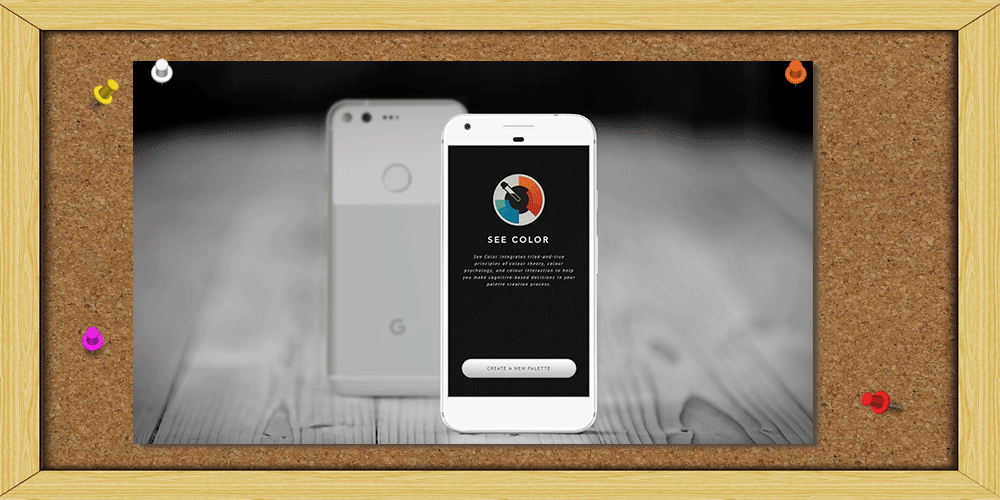 See Color App
 -
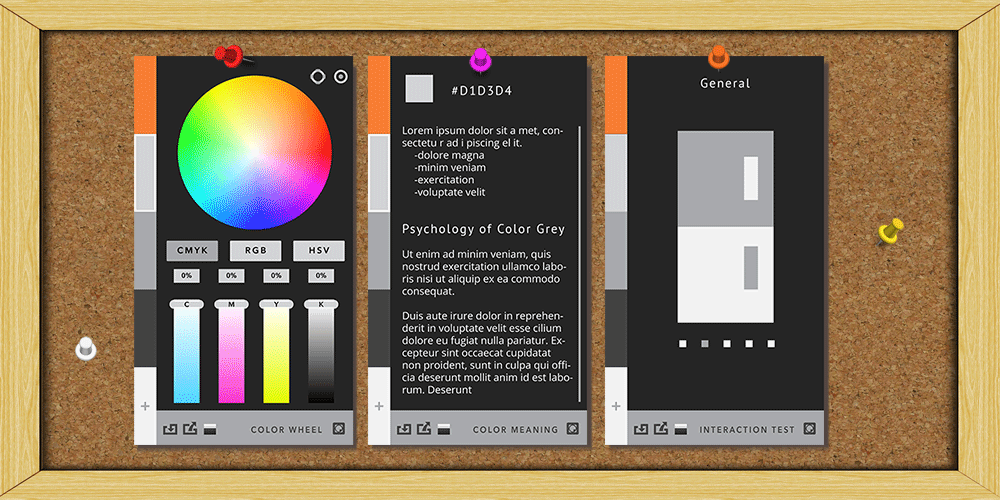 Templates
 -
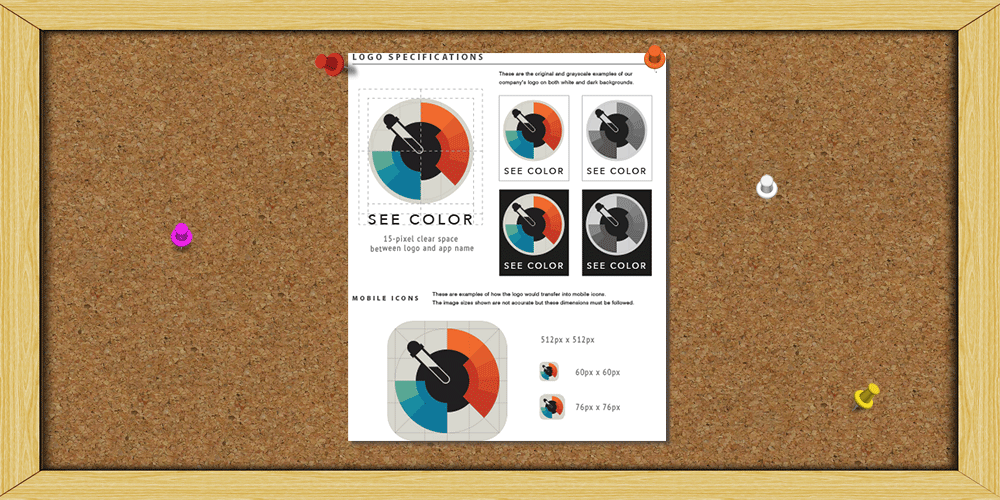 Styleguide
 -
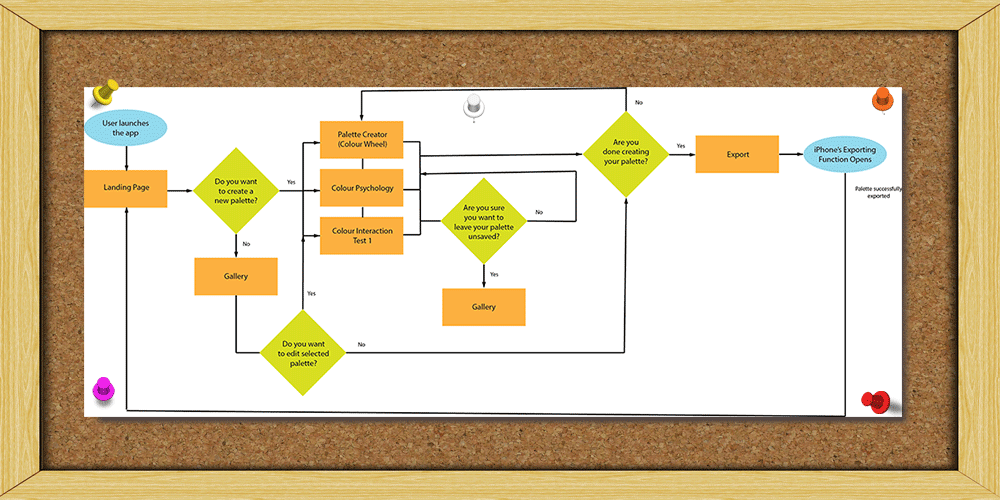 User Workflow
 -
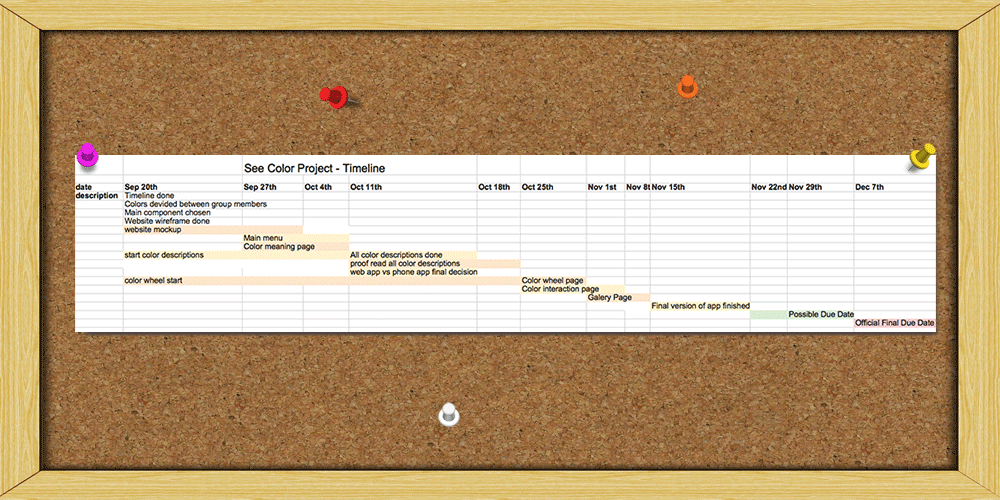 Timeline


